DigiLocker for NRIs: How to Store and Access Indian Documents from Abroad
TL;DR
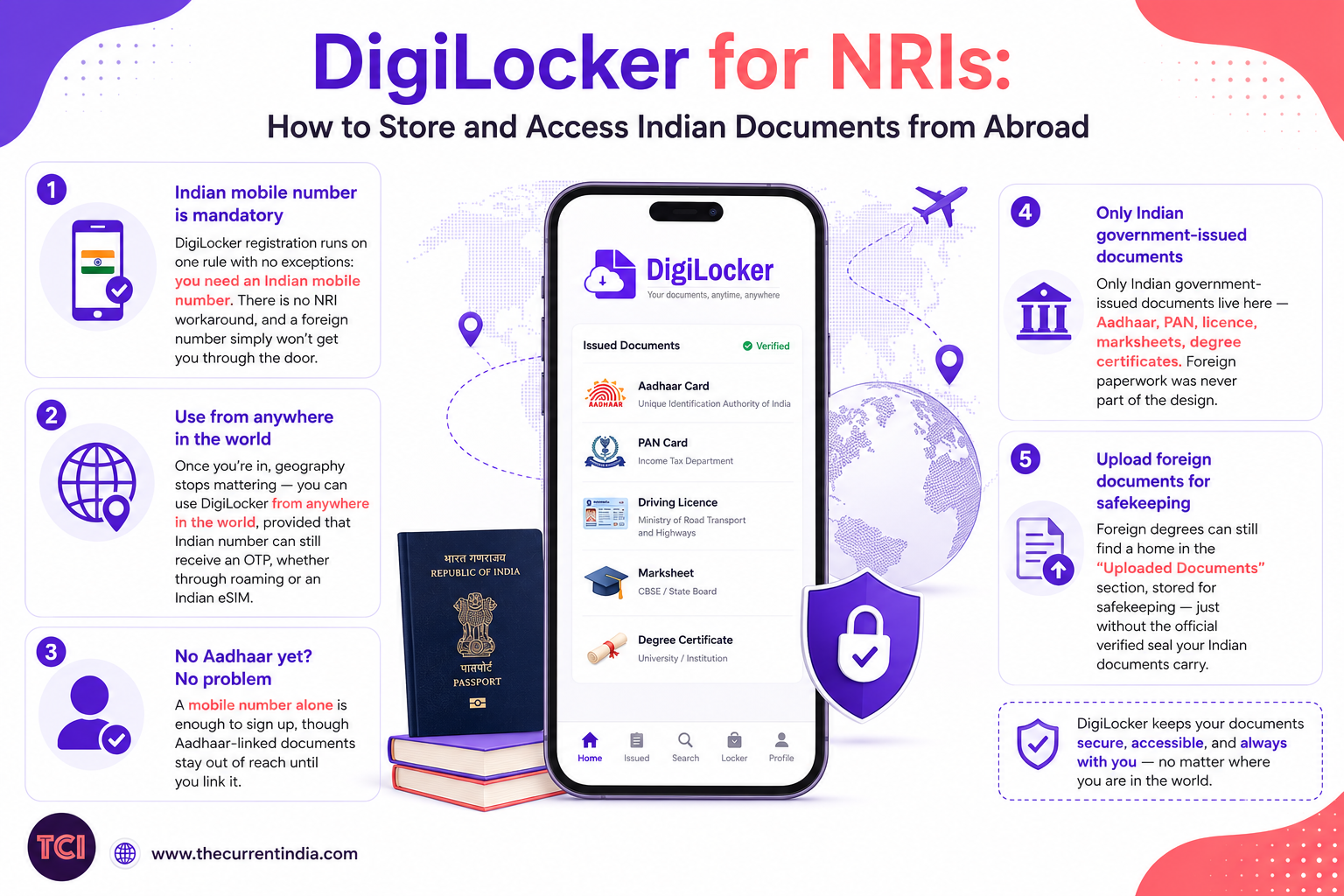
→	DigiLocker registration runs on one rule with no exceptions: you need an Indian mobile number. There is no NRI workaround, and a foreign number simply won’t get you through the door.
→	Once you’re in, geography stops mattering — you can use DigiLocker from anywhere in the world, provided that Indian number can still receive an OTP, whether through roaming or an Indian eSIM.
→	Don’t have Aadhaar yet? A mobile number alone is enough to sign up, though Aadhaar-linked documents stay out of reach until you link it.
→	Only Indian government-issued documents live here — Aadhaar, PAN, licence, marksheets, degree certificates. Foreign paperwork was never part of the design.
→	Foreign degrees can still find a home in the “Uploaded Documents” section, stored for safekeeping — just without the official verified seal your Indian documents carry.
This article exists to answer one question cleanly: DigiLocker for NRIs or to be specific can an NRI actually use DigiLocker, and if so, how?
We’ll walk through registration, logging in from another country, linking Aadhaar remotely, and the exact documents you can store without wandering into DigiLocker features that have nothing to do with your situation.
A visa officer asks for your marksheet. A bank abroad wants your PAN for KYC. An employer needs proof of your degree by Friday.
Sooner or later, every NRI hits this moment needing an Indian document, fast, from thousands of miles away. DigiLocker can solve it, but it wasn’t designed with NRIs in mind, and a few quirks trip people up. Here’s what genuinely works.
Read: Is DigiLocker PAN Card Valid In India: Should You Still Need Physical Pan Card?
Table of Contents
DigiLocker for NRIs: Can NRIs Actually Use DigiLocker?
Yes, but with one rule that isn’t negotiable: registration requires an Indian mobile number. DigiLocker’s own support page is unambiguous about this; NRIs cannot sign up using a foreign number, not even through WhatsApp DigiLocker.
The good news arrives right after that hurdle: once your account exists, the location restriction vanishes entirely. You can log in and pull your documents from anywhere on the map.
- At sign-up: an Indian mobile number only — no foreign numbers, no exceptions.
- After sign-up: works globally, across both web and app, with no geo-blocking in sight.
- Aadhaar: optional at signup, but essential later — Aadhaar-linked documents stay locked without it.
How to Register for DigiLocker as an NRI
- Start with an Indian mobile number you still control, ideally before you leave India or during your next visit home.
- Head to digilocker.gov.in, or download the DigiLocker app.
- Tap Sign Up, enter that number, and verify the OTP it receives.
- Set a username and password, though in practice, your mobile number and an OTP will be all you need from here on.
- If you’d rather not link Aadhaar yet, choose “Don’t have Aadhaar? Continue Here.”
- Link Aadhaar whenever it suits you, as long as the number tied to it can still receive an OTP.
Read: e-OCI card: What Is It, Steps To Download
DigiLocker for NRIs: Accessing DigiLocker From Abroad
The real trick has nothing to do with the app or the website. It’s keeping that one Indian number alive.
- Keep your Indian SIM active through international roaming, or rely on an Indian eSIM or virtual-number service that can still receive SMS.
- Log in with your mobile number or Aadhaar number, then enter the OTP as usual.
- Both the app and the website function outside India without restriction.
- If the OTP takes its time arriving — common on high-traffic days like board results — give it a few minutes before retrying, rather than requesting a fresh one every thirty seconds.
Linking Your Aadhaar From Abroad
- The number must already be the one UIDAI has on record against your Aadhaar — not just any number you happen to be using.
- In the DigiLocker profile section, select Add Aadhaar and enter your 12-digit number.
- The OTP lands only on that Aadhaar-linked number, even if it’s different from the one you used to log into DigiLocker.
- If that number is no longer active, this one has no remote fix — it needs an in-person visit to an Aadhaar enrolment centre in India.
What Documents Can You Store?
| Document Type | Issued By | Notes |
| Aadhaar card | UIDAI | Needs Aadhaar-linked mobile to fetch |
| PAN card | Income Tax Department | Pulled as an issued document |
| Driving licence & vehicle RC | State RTOs | Issued document, legally valid |
| Class 10 / 12 marksheets | CBSE / state boards | Available via the NAD integration |
| Degree / diploma certificates | Universities (via NAD) | Only if your university has published records |
| Income, caste, domicile certificates | State e-governance portals | Availability varies by state |
Can NRIs Upload Foreign Educational Certificates?
Not as verified, “issued” documents, DigiLocker only pulls records from registered Indian issuers, and no foreign university or board qualifies as one.
What you can do is use the Uploaded Documents section to store any file of your own — PDF, JPEG or PNG, up to 10MB — including a foreign degree, simply for safekeeping and quick reference. It travels with you, but it won’t carry the same verified legal weight as the documents DigiLocker issues directly.
If it’s specifically an Indian university degree you’re after, the National Academic Depository (NAD) route runs through this same DigiLocker account, and if your institution has already published your record, it simply appears the moment you log in.
Frequently Asked Questions
How can an NRI register for a government-backed digital document wallet?
With an Indian mobile number, on digilocker.gov.in or the app. Enter the number, verify the OTP, then set a username and password — Aadhaar isn’t required at this stage.
What are the benefits of using digital lockers for NRIs to store documents?
Instant access to your Aadhaar, PAN, marksheets and degree certificates, without asking family back home to courier physical copies across borders. It is genuinely useful for visa renewals, overseas job checks, and bank KYC abroad.
What are the identity verification steps for NRIs using an Indian online document repository?
A mobile OTP at signup, followed by a separate Aadhaar OTP — sent only to your Aadhaar-registered number — if and when you choose to link Aadhaar.
Can non-resident Indians access their stored documents from an official digital locker when abroad?
Yes. Once your account is set up, both the app and the website work from any country, as long as your Indian mobile number can still receive an OTP through roaming or an Indian eSIM.
How to link my digital locker with government-issued ID from abroad?
Go to Profile, select Add Aadhaar, and enter your 12-digit number. The OTP will only reach the mobile number UIDAI already has on file against that Aadhaar.
What types of Indian government issued documents can an NRI securely store in a national digital vault?
Aadhaar, PAN, driving licence, vehicle registration certificate, board marksheets, and university degree certificates published through the NAD integration.
Can NRIs upload foreign educational certificates to a digital locker?
Yes, as a self-uploaded file under Uploaded Documents — handy for personal record-keeping, though it won’t carry the verified status of an officially issued Indian document.
The Bottom Line
DigiLocker does work for NRIs — but only for those who set it up in the right order: register while an Indian number is still active, link Aadhaar before that number goes quiet, and accept that foreign certificates belong in storage, not on the verified-documents shelf. Get that sequence right, and your Indian paperwork stays exactly one OTP away, no matter which time zone you’re in.
The Current India will continue to track DigiLocker’s NRI access rules and keep this guide current.
Interesting Reads
- Aadhaar for NRIs Returning to India: What to Do First, Documentation
- NRI PAN Card Vs OCI Card: Comparisons
- PAN Card for NRIs – Complete Guide (Form 49AA)
- NRI Passport Address Update: How to Change Your Address from Abroad
- OCI Card Application: Complete Guide for Indians in USA & UK
- Health Insurance for NRIs Visiting India: A Comparison of the Best Plans
