Aadhaar for NRIs Returning to India: What to Do First
TL;DR
If you’re an NRI returning to India, you may or may not have an Aadhaar card — and the rules around it are more nuanced than most people think. Here’s the short version:
• NRIs who have already lived in India for 182+ days in the past 12 months are eligible for Aadhaar.
• OCI and PIO cardholders can now apply for Aadhaar too — after residing in India for 182 days.
• If you already have Aadhaar from before, update your address and mobile number first.
• Locked or inactive biometrics need to be unlocked before use.
• Visit the nearest Aadhaar Seva Kendra or Permanent Enrollment Center — don’t rely on outdated processes.
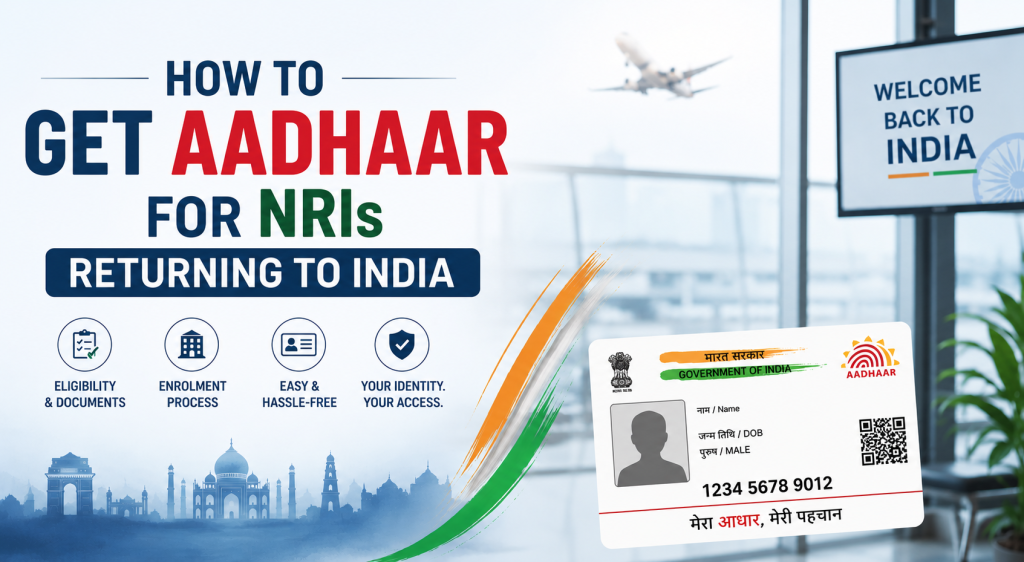
Returning to India after years abroad is exciting. But between unpacking and reconnecting with family, there’s a long list of paperwork waiting for you — and Aadhaar is right at the top of that list.
This article walks you through everything you need to know about Aadhaar for NRIs returning to India. Whether you lost track of your old card, never had one, or simply need to update your details, this guide tells you exactly what to do first.
Think of it as your practical, no-nonsense handbook — written for real people, not government officers.
Why Aadhaar Matters More Than Ever After You Return
India runs on Aadhaar now. It’s that simple. You’ll need it to:
- Open or reactivate a bank account
- Get or port a mobile SIM card
- File your income tax returns
- Apply for government schemes or subsidies
- Register property or vehicles
- Access healthcare services under Ayushman Bharat
- Enroll children in schools
- Verify your identity for any digital service — from UPI to driving licenses
If you’ve been abroad for a few years, your old Aadhaar may still be valid. But your address, phone number, and even biometrics might need an update. And if you never had one, the clock starts the day you land.
Are NRIs Eligible for Aadhaar?
Yes — but there’s a condition. Under the Aadhaar Act, 2016 (amended in 2019), a “resident” is defined as someone who has been in India for at least 182 days in the preceding 12 months. So the day you cross that threshold after returning, you become eligible.
Important: You cannot apply for Aadhaar the moment you land. You need to fulfill the 182-day residency requirement first. However, if you already have an existing Aadhaar, that’s a different scenario — you can update it almost immediately.
What About OCI and PIO Cardholders?
Great news here. The 2019 amendment to the Aadhaar Act extended eligibility to OCI (Overseas Citizen of India) and PIO (Person of Indian Origin) cardholders — provided they meet the same 182-day condition. So if you hold an OCI card and have been living in India for at least six months, you can now legally apply for Aadhaar.
| Category | Eligible for Aadhaar? | Condition |
| Indian Citizen (returned NRI) | Yes | 182+ days in India in past 12 months |
| OCI Cardholder | Yes | 182+ days in India in past 12 months |
| PIO Cardholder | Yes | 182+ days in India in past 12 months |
| Foreign Nationals (non-OCI) | No | Not eligible under current law |
| Existing Aadhaar holder (NRI) | Update only | Can update details after return |
Scenario 1: You Already Have an Aadhaar Card
This is the most common situation. You got your Aadhaar before you moved abroad. Now you’re back, and there are a few things that almost certainly need updating.
Step 1: Check Your Current Aadhaar Status
Before doing anything else, verify your Aadhaar status online:
- Go to myaadhaar.uidai.gov.in
- Log in with your Aadhaar number and registered mobile number
- Check if your mobile number is still active
- Review the address on file — it’s almost certainly outdated
- Check if your biometrics are locked (more on this below)
Step 2: Update Your Mobile Number
Here’s the frustrating part. If your old Indian mobile number has been deactivated (which it likely has after years abroad), you can’t do anything online. You will have to visit a physical Aadhaar Seva Kendra or Post Office Aadhaar Center to get your mobile number updated. This is mandatory before any online services work.
Pro tip: Get a new Indian SIM first. Then go to the Aadhaar center with your new number, Aadhaar card, and a valid address proof.
Step 3: Update Your Address
You can update your address either online (if your mobile number is already linked and active) or in person. Documents accepted for address proof include:
- Passport (Indian or foreign)
- Bank statement or passbook with current address
- Rental or lease agreement
- Utility bill (not older than 3 months)
- Letter from a recognized authority confirming your address
UIDAI also allows an “Address Update Request” using the Head of Family’s Aadhaar if you’re staying with relatives temporarily.
Step 4: Unlock Your Biometrics (If Locked)
UIDAI introduced biometric locking as a security feature. If you or someone else locked your biometrics before you left India, you’ll need to unlock them before they can be used for authentication. You can do this on the myAadhaar portal or via the mAadhaar app.
Scenario 2: You Never Had an Aadhaar Card
If you were born abroad, left India as a minor, or simply never enrolled, you’re starting from zero. Here’s your roadmap.
Wait for the 182-Day Window
There’s no shortcut here. You need to be a resident of India for 182 days before you can apply. Start counting from your date of arrival.
Gather Your Documents
You’ll need two types of documents:
Identity Proof (any one):
- Indian Passport
- PAN Card
- Voter ID
- Driving License
- OCI Card (for OCI holders)
Address Proof (any one):
- Utility bill (electricity, water, gas) not older than 3 months
- Bank account statement
- Property tax receipt
- Rental agreement
- Spouse’s Aadhaar (with a relationship document)
Visit an Aadhaar Enrollment Center
Find your nearest center at appointments.uidai.gov.in. Book a slot in advance. Walk-ins may be available, but appointment holders get priority.
At the center, you’ll:
- Submit your documents
- Provide biometrics (fingerprints and iris scan)
- Get a photograph taken
- Receive an Enrollment ID (EID) slip
Your Aadhaar card will be generated and mailed to your address within 90 days. You can also download the e-Aadhaar from the UIDAI website once it’s generated.
Scenario 3: Your Aadhaar Has Errors or Was Issued With Wrong Details
This happens more often than you’d think. Name misspellings, wrong date of birth, or an outdated address from years ago — all of these need fixing before Aadhaar works properly for KYC or financial transactions.
| What Needs Fixing | Method | Where |
| Name (minor spelling correction) | Online via myAadhaar portal | myaadhaar.uidai.gov.in |
| Date of Birth | In-person only (once in a lifetime) | Aadhaar Seva Kendra |
| Gender | In-person only | Aadhaar Seva Kendra |
| Address | Online or in-person | myAadhaar or Enrollment Center |
| Mobile Number | In-person only | Aadhaar Seva Kendra / Post Office |
| Photo | In-person only | Aadhaar Seva Kendra |
| Biometric (fingerprint/iris) | In-person only | Aadhaar Seva Kendra |
The First 30 Days: A Practical Checklist for Returning NRIs
Here’s a realistic, week-by-week game plan for getting your Aadhaar-related paperwork in order after you return:
Week 1:
- Get an active Indian mobile SIM card
- Check your existing Aadhaar status (if you have one) on myAadhaar portal
- Note what needs updating — address, mobile number, biometric status
Week 2:
- Visit the nearest Aadhaar Seva Kendra to update mobile number
- Carry your Aadhaar card, new SIM, and address proof
- Book appointment in advance to save time
Week 3 – 4:
- Update your address online (once mobile is linked)
- Unlock biometrics if locked
- Link Aadhaar to bank account (if applicable)
- Download e-Aadhaar from UIDAI site
If you’re a new applicant without any prior Aadhaar, start your 182-day clock and use the first three months to gather documents and prepare.
How to Use Aadhaar Digitally as an NRI Returnee
You don’t always need the physical card anymore. UIDAI has built a strong digital ecosystem around Aadhaar:
- mAadhaar App: Download it, link your Aadhaar, and carry a digital version on your phone
- e-Aadhaar: A password-protected PDF you can download and submit anywhere
- Masked Aadhaar: Hides the first 8 digits for safer sharing online
- Virtual ID (VID): A temporary, revocable 16-digit number for KYC without sharing your actual Aadhaar number
- TOTP (Time-based OTP): Use the mAadhaar app to generate OTPs without needing your mobile network
These tools are particularly useful if your physical card is misplaced or if you’re waiting for an updated card to arrive.
Common Mistakes NRIs Make With Aadhaar (And How to Avoid Them)
| Mistake | Why It’s a Problem | What to Do Instead |
| Trying to apply immediately on arrival | Aadhaar requires 182 days of residency first | Wait for eligibility, then apply |
| Assuming the old mobile number still works | Old SIMs get deactivated after 3-6 months of inactivity | Get a new SIM, then update Aadhaar |
| Ignoring biometric lock status | Locked biometrics block eKYC and OTP authentication | Unlock via myAadhaar or mAadhaar app |
| Sharing full Aadhaar number casually | Increased risk of misuse | Use Masked Aadhaar or VID instead |
| Not linking Aadhaar to bank accounts | Cannot do Aadhaar-based KYC for financial services | Link at the bank branch or via net banking |
| Using an agent or middleman to enroll | Risk of fraud and document misuse | Always visit UIDAI-authorized centers directly |
UIDAI’s Official Channels: Where to Get Help
- Website: uidai.gov.in / myaadhaar.uidai.gov.in
- Helpline: 1947 (toll-free, available in multiple languages)
- Email: help@uidai.gov.in
- mAadhaar App: Available on Android and iOS
- Aadhaar Seva Kendras: Find your nearest one at appointments.uidai.gov.in
- Post Office Aadhaar Centers: India Post now operates Aadhaar centers across the country
Always use official UIDAI channels. There are many unauthorized agencies that claim to offer Aadhaar services for a fee — most of them are unnecessary, and some are outright fraudulent.
Frequently Asked Questions (FAQs)
Can an NRI apply for Aadhaar as soon as they return to India?
No. You must have been a resident of India for at least 182 days in the 12 months preceding your application. If you’re returning after a long period abroad, the clock starts from your date of arrival. Once you hit the 182-day mark, you’re eligible.
I have an Aadhaar from before I moved abroad. Is it still valid?
Yes, your Aadhaar number remains valid for life and doesn’t expire. However, the details on it — especially your address and mobile number — may be outdated. You should update these as soon as possible after returning, especially your mobile number, since it’s needed for OTP-based authentication.
Can OCI cardholders apply for Aadhaar in India?
Yes, they can — after the 2019 amendment to the Aadhaar Act. OCI cardholders who have resided in India for 182 or more days in the preceding 12 months are eligible to apply for Aadhaar at any authorized enrollment center.
What if I don’t remember my Aadhaar number?
You can retrieve it using your registered mobile number or email at myaadhaar.uidai.gov.in under the “Retrieve Lost UID/EID” option. If your mobile number is no longer active, you’ll need to visit an Aadhaar Seva Kendra with identity proof to update it first.
Can I update my Aadhaar address to a temporary address in India?
Yes. UIDAI allows address updates to a temporary address. Accepted documents include rental agreements, bank statements, and utility bills. If you’re staying with family, you can also request an address update using the Head of Family’s Aadhaar via the “Address Update Request” option on the myAadhaar portal.
Does my Aadhaar get canceled or deactivated if I’ve been abroad for years?
No. Aadhaar does not get deactivated simply because you lived abroad. The number remains valid indefinitely. What you need to do is update the details — especially your address and mobile number — to reflect your current situation in India.
Final Word
Coming back to India after years abroad feels like starting over in the best possible way. There’s nostalgia around every corner. But there’s also a mountain of paperwork. Aadhaar for NRIs returning to India is step one of that mountain — and it’s also the most important.
Get it right, and everything else follows: your bank account, your SIM card, your tax filings, your digital life in India. Skip it or delay it, and you’ll find yourself stuck at every turn. For more practical guides on life, money, and policy in India, visit The Current India— your trusted source for clear, honest, and well-researched information.
Interesting Topics
- How to Link Mobile Number with Aadhaar Card – A Step-by-Step Guide
- Aadhaar Card Correction Guide: How to Update Name, Address, DOB, Mobile & More
- mAadhaar App Services, Use And How To Register
- NRI Passport Address Update: How to Change Your Address from Abroad
- OCI Card Application: Complete Guide for Indians in USA & UK
- How to Resolve PAN-Aadhaar Name Mismatch (Step-by-Step Fix)
- DigiLocker for NRIs: Access Indian Documents from Abroad
