e-OCI Card: What It Is and How to Download Yours
An e-OCI card is the digital version of the physical OCI booklet, and India’s Home Minister Amit Shah launched it on June 30, 2026. New OCI applicants now receive this digital card automatically once their application clears, and existing cardholders will get theirs the next time they update or reissue their OCI status.
What Is an e-OCI Card?
The e-OCI card stores the same identity, photo, and travel details as the physical booklet, in a digital format you access from your phone (Documitra, 2026). It works alongside your passport at immigration check posts and with participating airlines. The change comes through India’s Citizenship (Amendment) Rules, 2026, which also removed the older requirement to submit OCI applications “in duplicate”.
More than 50 lakh OCI cardholders worldwide stand to benefit, per VisasUpdate: less paperwork and faster airport verification, with no more booklets to lose in transit.
Read: OCI Card Application: Complete Guide for Indians in USA & UK
Who Can Get an e-OCI Card?
Four groups qualify for OCI status, and therefore an e-OCI card:
- Foreign nationals of Indian origin
- Spouses of Indian citizens or existing OCI cardholders
- Minor children born abroad to Indian citizens or OCI cardholders
- Children and grandchildren of Indian citizens, in specific eligible cases
Anyone applying for OCI status for the first time on or after May 1, 2026 receives the e-OCI card automatically once the application clears. Existing physical OCI holders don’t need to file a fresh application, but new applicants are the ones prioritized for the digital card right now. Existing cardholders should expect their e-OCI at their next update or reissuance, not on demand today.
How to Download Your e-OCI Card
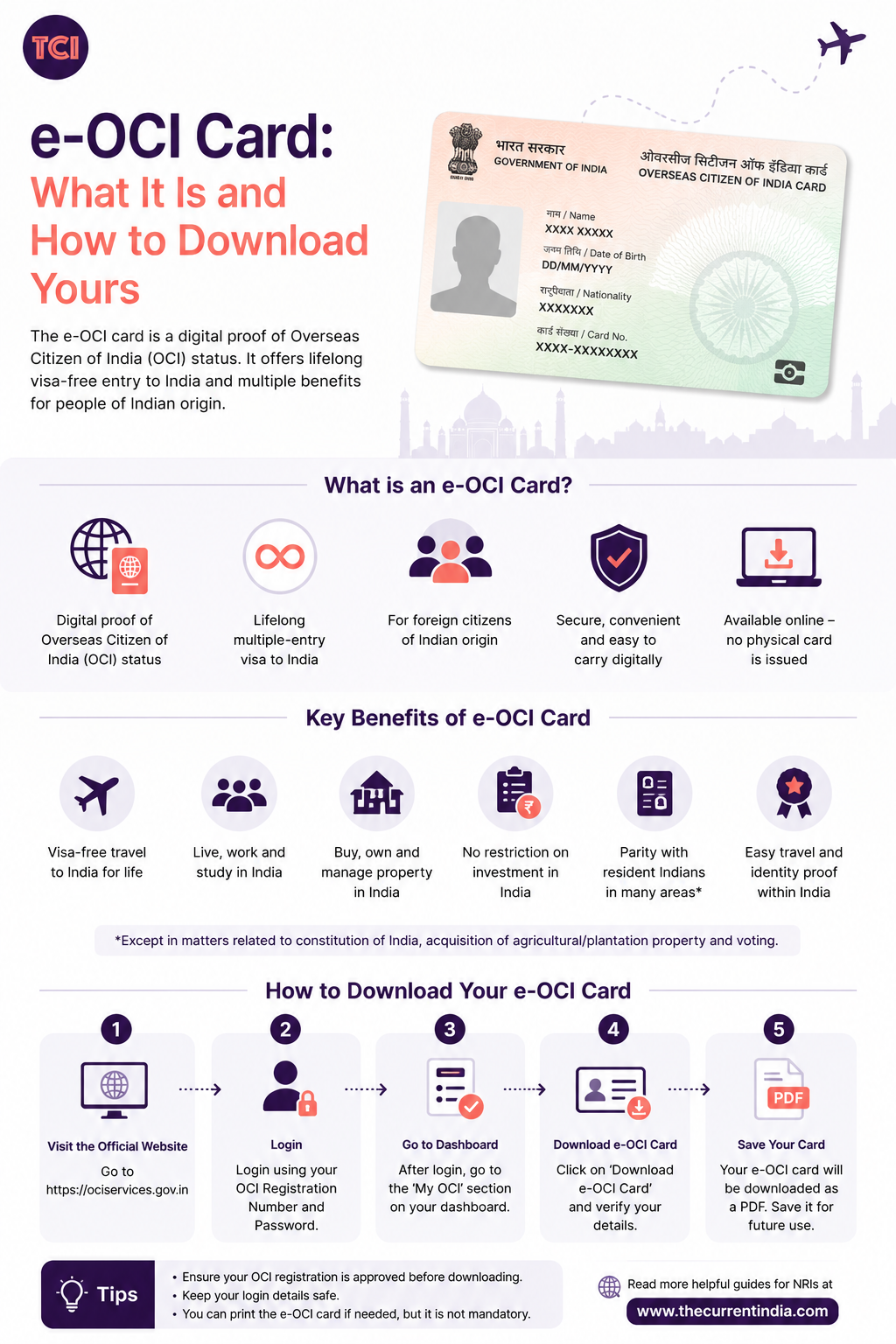
For cardholders who do have e-OCI access, the process works like this, per the Consulate General of India, Edinburgh:
- Go to the official OCI Services Portal at ociservices.gov.in.
- Log in with your registered email ID and password. First-time users need to register with the email address linked to their original OCI application.
- Open the e-OCI tab on your dashboard.
- Click Generate e-OCI Card next to your application.
- Download the card and save it to your phone.
Existing cardholders who log in today may not see this option since new applicants are currently prioritized. That’s expected, not an error.
New applicants go through the full OCI process first: registering on the portal, uploading a scanned passport, proof of Indian origin, a recent photograph, and (where relevant) a marriage certificate or a child’s birth certificate. Once a Mission, VFS, or BLS centre verifies the documents and approves the application, the e-OCI card becomes available for download (VisasUpdate, 2026).
Processing for the e-OCI now takes around 15 business days, compared with the 4-to-8-week wait that physical OCI booklets used to take (IndianEagle, 2026).
Does Your Physical OCI Card Still Work?
Yes. Every source confirms this: physical OCI booklets remain valid, and you can still travel to and from India on the paper card alone. The e-OCI doesn’t replace your current document; it’s a backup that lives on your phone. Keep carrying the physical card for now, since airport staff at some checkpoints are still adjusting to the digital format (Documitra, 2026).
The government has announced that cardholders who turn 20 and get a new passport will no longer need a full booklet reissuance, and can update their new passport details on the OCI portal instead.
In practice, some readers in this situation report still being told to apply for reissuance, so confirm your case with your Mission or VFS centre rather than assuming the new policy applies on its own. The government also plans to link e-OCI with facial recognition lanes at Indian airports by December 2026, speeding up immigration checks for frequent flyers.
The Bottom Line
The e-OCI card is a useful upgrade for the Indian diaspora: faster processing and one less document to lose mid-trip. If you’re applying fresh, expect the e-OCI automatically once your application clears. If you already hold a physical OCI, hold onto it. Digital access will follow at your next update or reissuance, not necessarily today.
Always confirm current process and fees on the official portal, ociservices.gov.in, since procedures may shift as the rollout continues.
Interesting Reads
- Minor Passport Renewal for NRIs: Complete Guide for Parents Living Abroad
- PAN Card for NRIs – Complete Guide (Form 49AA)
- Documents Required for PAN Card Application – Checklist
- Power Of Attorney In India – The Types And How To Get One?
- Everything You Should Know About Citizenship In India
- NRI PAN Card Vs OCI Card: Comparisons
- E Passport In India – Benefits, Features And More
- DigiLocker for NRIs: Access Indian Documents from Abroad
- Health Insurance for NRIs Visiting India: A Comparison of the Best Plans
Sources
- IndianEagle TravelBeats, “India Launches e-OCI: Easy Steps to Download e-OCI Card,” retrieved 2026-07-09, https://www.indianeagle.com/travelbeats/india-launches-digital-eoci-know-benefits-and-how-to-apply/
- Documitra, “What is an e-OCI Card?,” retrieved 2026-07-09, https://documitra.com/blog/what-is-an-e-oci-card/
- Consulate General of India, Edinburgh, “e-OCI (Electronic Overseas Citizen of India) Card,” retrieved 2026-07-09, https://www.cgiedinburgh.gov.in/section/news/e-oci-electronic-overseas-citizen-of-india-card/
- VisasUpdate, “India Launches Digital e-OCI Card in 2026,” retrieved 2026-07-09, https://www.visasupdate.com/post/india-digital-e-oci-card-2026-guide
This article is for general information only. Confirm current OCI and e-OCI procedures, eligibility, and fees on the official portal before applying.
